
How to humanize AI text: a step-by-step workflow
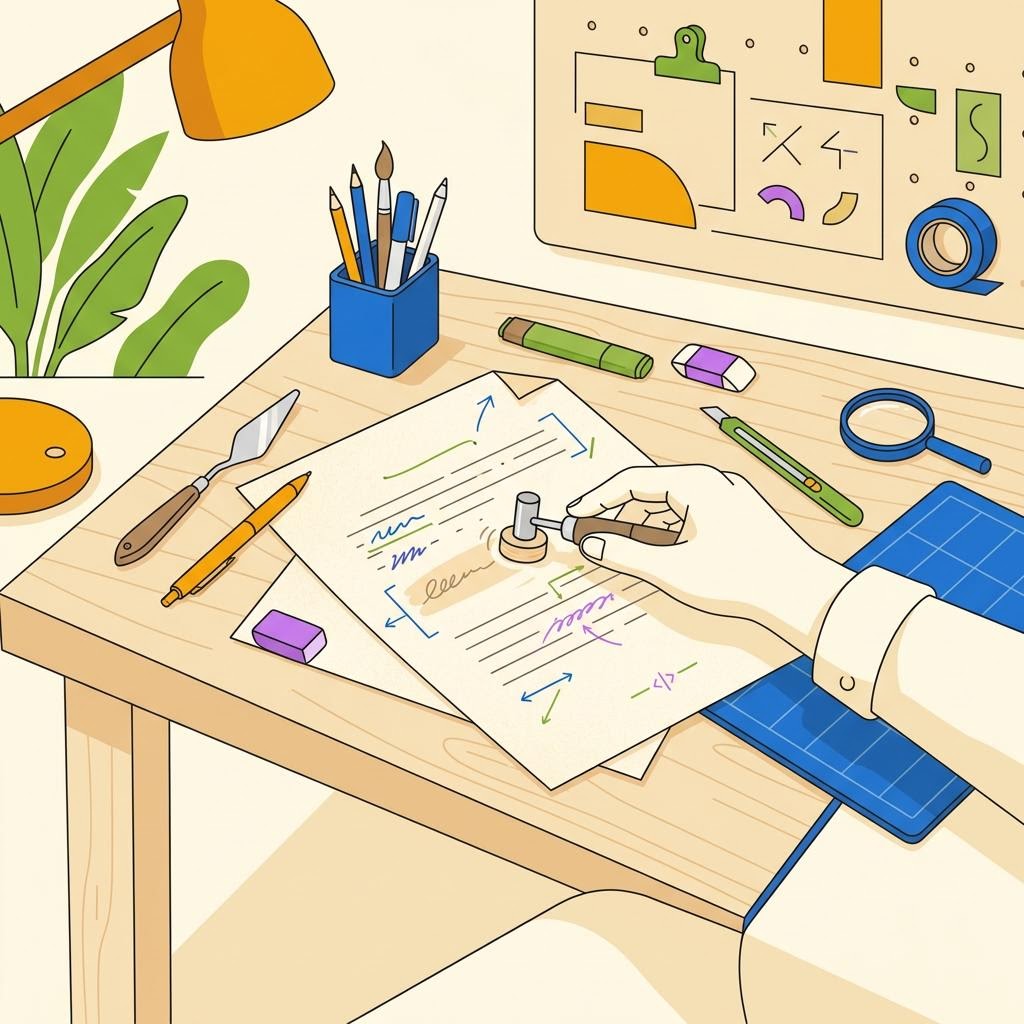
A repeatable 6-step process to turn flat AI drafts into writing that reads like you.
Humanizing AI text means rewriting AI-generated drafts to sound like you wrote them, not a machine. As of 2026, most people encounter AI-written content that reads like a template: repetitive transitions, generic word choices, missing specificity, and a flattened tone that feels corporate even when it shouldn't. The goal isn't to hide that AI was involved; it's to ensure your voice, perspective, and actual knowledge come through in the final piece. This guide walks through a repeatable 6-step workflow that turns stiff AI drafts into writing that passes both human readers and AI detection tools.
What makes AI text sound artificial?
AI text fails to sound human for three concrete reasons: over-reliance on certain phrases, loss of specific details, and sameness in sentence rhythm. LLMs are trained on billions of sentences, so they default to statistically common word patterns like "importantly", "today", "it's worth noting", and "when it comes to." They also tend to hedge claims and fill space with elaboration instead of moving forward with a point. Most critically, they flatten the natural variation in how actual humans write, using similar sentence lengths and structures even when a real writer would shift rhythm for emphasis or simplicity.
Your actual writing has quirks: you might start sentences with "But" or "So." You repeat certain words you like. You use short sentences when you're making a point and longer ones when you're building a case. You include specific numbers, names, or examples you know, not generic placeholders. Humanizing means pulling out those real patterns from your voice and applying them to AI drafts. That's why training UmanWrite on your writing samples produces better results than using a generic humanizer with preset tones.
Step 1: Audit the AI draft for red flags
Before you rewrite, read the AI draft all the way through and mark sections that feel generic, repetitive, or imprecise. Don't fix as you go; just identify the problem zones. Common red flags include repeated transition phrases, sentences longer than 20 words without a line break, hedging language ("arguably," "it could be said that"), and claims without specifics or sources.
Create a simple checklist as you scan: Which paragraphs lack examples or numbers? Where does the tone shift awkwardly? Are there sentences that say the same thing twice? Mark these. You'll find that 20-30% of the draft often contains the bulk of the artificial-sounding material, and fixing those zones lifts the whole piece.
Step 2: Inject your actual perspective and voice
The most readable humanization isn't word-for-word rewriting; it's inserting your real opinion, experience, or skepticism where the AI draft plays it safe. AI-generated text tends to present ideas as objective facts when your job as a writer is to take a position and defend it.
Look at sections where the AI draft says "This approach has benefits" and replace it with what you actually think: "I've used this approach on five projects, and it cuts revision time in half, though setup takes longer." That's specific, voiced, and credible. Your reader wants your take, not the machine's balanced middle ground. Spend 2-3 minutes per 500 words just adding your perspective back in.
Step 3: Rewrite sentences for variation and specificity
AI drafts often contain chains of medium-length sentences with similar structures. Break this rhythm by varying sentence length: put short, direct sentences next to longer, complex ones. Replace vague nouns with specific ones, and delete padding.
- Scan for sentences over 20 words; cut or split them unless they're building a deliberate point.
- Replace abstract terms ("approach", "methodology", "framework") with concrete nouns tied to your actual work.
- Delete filler: "it is important to note that", "when it comes to", "various studies have shown". Get to the claim.
- Add specific numbers, names, tool names, or examples you know firsthand, not generic ones.
- Alternate sentence starts to avoid beginning three sentences in a row with the same word or structure.
This step typically takes the longest because you're reading word-by-word. Aim for 10-15 minutes per 500 words. Tools like Hemingway Editor highlight long sentences, but your own eye is better at catching repetitive rhythm once you know what to look for.
Step 4: Add concrete details and remove hedging
AI often hedges: "It may be beneficial," "Some argue," "It's possible that." Real writers commit. Go through and strengthen weak modal verbs and remove unnecessary qualifiers unless you genuinely need them for accuracy. Replace "various tools" with the actual tool names you'd use. Replace "studies suggest" with the study you read or the experience you had.
- Replace "various," "several," "some" with actual numbers or examples.
- Change "may be" to "is" when you have the knowledge to back it.
- Remove "arguably," "it could be argued," and similar hedges unless they're central to your point.
- Specify who "experts" are: name the person, company, or research team.
- Add dates, metrics, or outcomes instead of vague references to effectiveness.
This builds credibility and makes your writing sound authoritative because it is. A reader can feel the difference between "AI-generated confidence" (over-claimed, generic) and "actual knowledge" (specific, bounded).
Step 5: Read aloud and listen for your voice
Reading aloud catches artificial phrasing your eyes skip over. You'll hear where you'd naturally pause, emphasize, or shift tone. If you stumble over a sentence, your reader will too.
Listen specifically for: Does this sound like how I'd explain it to a colleague? Where would I use a contraction ("don't" instead of "do not")? Where would I use a casual word instead of formal? Where does my natural passion or skepticism come through? Make notes, then adjust. This 5-minute pass often catches 20-30% more awkward phrasing than silent reading alone.
Step 6: Run detection and iterate
Use an AI detection tool like GPTZero or Originality.ai on your humanized draft to see which sections still read as machine-generated. Most good detectors highlight specific phrases or paragraphs, not just a single score.
If a section flags as AI-written after your edits, it usually means either the phrasing is still generic, the examples are missing, or the tone doesn't match the surrounding text. Go back and apply steps 2-4 to that zone specifically. Most pieces need 1-2 iterations before they pass consistently.
| Step | Time per 500 words | Goal | Tool / method |
|---|---|---|---|
| Audit | 3-5 min | Identify problem zones | Manual read-through + simple checklist |
| Inject perspective | 5-8 min | Add your actual viewpoint and experience | Margin notes or comments on draft |
| Rewrite for variation | 10-15 min | Break sentence monotony, add specifics | Edit word-by-word, vary sentence length |
| Add details, remove hedging | 5-10 min | Strengthen claims with concrete info | Find-and-replace weak modals, add names/dates |
| Read aloud | 5-8 min | Catch phrases that sound unnatural | Read draft aloud or use text-to-speech |
| Detection and iterate | 5-10 min | Verify AI traits are minimal | GPTZero, Originality.ai, or UmanWrite detector |
When should you humanize versus start from scratch?
Humanizing saves time if the AI draft has the right structure and most of the right points but needs voice and specificity. If the draft is off-topic, includes hallucinated facts, or has the wrong angle, starting over is faster. A rough rule: if you'd keep more than 40% of the sentences, humanize; if you'd cut or rewrite more than 60%, start fresh.
Many writers in 2026 use AI for outlining and first-draft scaffolding rather than for finished copy. That's a smart workflow. You get the speed of AI structure without the deadweight of its tone. Then you humanize selectively: inject your voice into the intro and conclusion, add real examples in the middle sections, and let your personality shape the whole piece. Using a voice-trained tool like UmanWrite shortens this step because it learns your style from samples you provide, meaning less manual adjustment needed.
You now have a framework to turn any AI draft into writing that reads like you. The workflow takes 40-90 minutes for a 2,000-word piece once you're practiced, and every iteration makes it faster. If you're humanizing frequently and want the process to be automatic, UmanWrite learns your voice and applies it at scale, reducing manual edits by 50-70% based on user feedback. Start with this 6-step method to understand what humanization actually is; then decide if you want tools to accelerate it.
Frequently asked questions
+What is the difference between humanizing AI text and editing AI text?
Editing AI text fixes grammar and clarity; humanizing rewrites it to match your voice, perspective, and specificity. An edit might correct "The system provides benefits" to "The system provides clear benefits." Humanizing would rewrite it as "I've seen this system cut our process time by 40%, though training takes a week." Humanizing is deeper and requires understanding your actual viewpoint and knowledge, not just polishing the machine's words.
+Can AI detectors tell if I've humanized a draft, or will it still flag it as AI-written?
A well-humanized draft passes most detectors because the specific, voiced, varied content is genuinely different from LLM output. Detectors look for statistical markers like repetitive phrases, hedging language, and generic structure. If you've added real examples, removed filler, and varied your sentences, those markers are gone. A draft that still flags after full humanization usually needs one more pass on specificity or tone consistency.
+How long does humanizing one article actually take?
For a 2,000-word piece, expect 40-90 minutes once you've practiced the workflow. Beginners take longer (2-3 hours) because they're learning what to listen for. Speed comes from recognizing AI patterns instantly. Most of the time is spent on steps 3-4 (rewriting for variation and adding details). If you're humanizing dozens of pieces, a tool like UmanWrite that learns your voice cuts that time to 15-30 minutes by automating the style layer.
+Should I humanize AI text from ChatGPT, Claude, or other models differently?
The humanization process is the same, but the starting material differs. Claude tends to be wordier and more cautious; ChatGPT is punchier but sometimes repetitive; other models have their own patterns. Your workflow (audit, inject perspective, rewrite for variation, add details, read aloud, detect) catches all of them because you're fixing the core problem: generic voice and missing specificity, not the model's output.
+Is humanizing AI text considered cheating or dishonest?
No, if you're using AI as a drafting tool and then rewriting it into your voice and knowledge. You're not claiming the AI did the thinking; you're using it as scaffolding. Most professional writers by 2026 work this way. Disclosure matters if your field requires it (some journals, some client contracts), but the practice itself is standard. What you shouldn't do is publish AI text without humanization and claim it as your own voice.
+What if I don't have time to humanize and need to publish quickly?
Either extend your deadline or change your strategy. Publishing unhumanized AI text damages credibility and often gets caught by readers or detectors. If speed is critical, use AI for outlines and research summaries instead of full drafts, then write the actual piece yourself. Alternatively, use a voice-trained tool like UmanWrite that applies your style automatically, cutting humanization time to 10-15 minutes for the final check instead of 60+.
+Can I humanize content that isn't mine, like competitor articles or AI-generated content from others?
Legally and ethically, no, not for republication or resale. Humanizing another's content and publishing it as yours is plagiarism, even if you rewrite the AI draft. If you're editing someone else's work for them (as a freelancer or editor), that's a different story and should be clearly billed as editing, not creation. Humanize only content you generated or have rights to use.